

Courses are typically loaded into eLC beginning about 60 days prior to the start of the relevant semester. These courses are loaded and populated based on data in Athena, and are updated regularly as new information is added to Athena.
The default setting for regular courses is that they are not available to students until the day before classes begin — and they close for students about fourteen days after grades are due. All enrolled students can view course materials when the course is set to be available.
Follow these steps to manage or change start and end dates for a course in eLC:
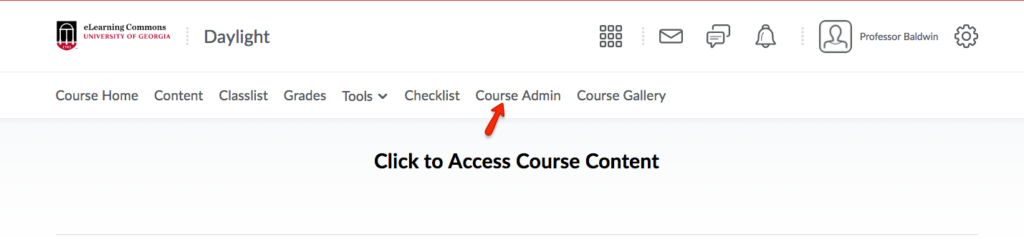
- To manage the course availability, first, select Course Admin from the course navbar
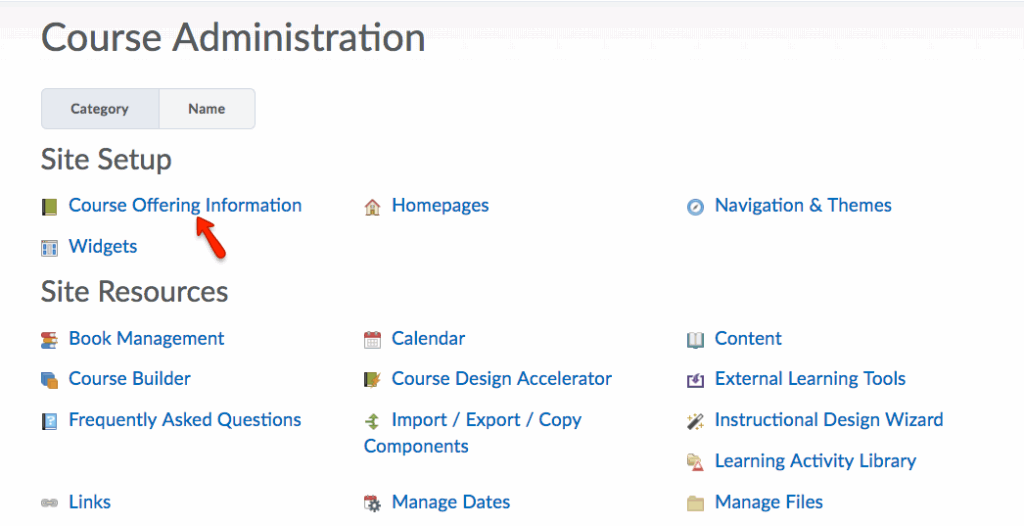
- Under Site Setup, select Course Offering Information
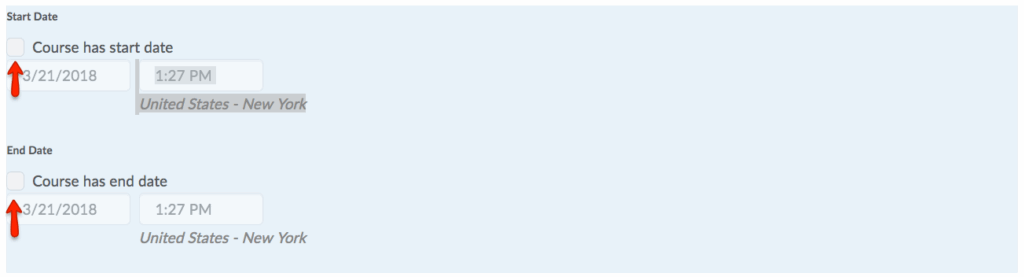
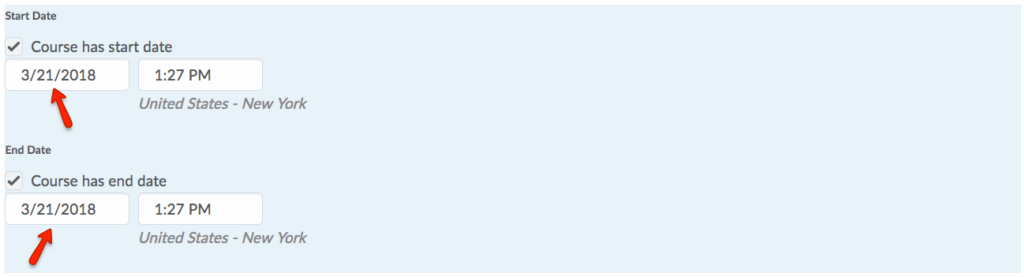
- Then, the Start Date and End Date can be modified to meet your course’s needs.
- Additionally, by unselecting Course has start date and Course has end date, you can permit your course to always be accessible to users.